Roundnote on iPhone, iPad and Apple Watch
Record anywhere, and your Mac does the rest: the transcript, the summary and who said what. With iCloud sync on, every meeting is with you, to read and play back.

Free, with Roundnote on a Mac with Apple silicon and macOS 26. For iOS 18, iPadOS 18 and watchOS 11.
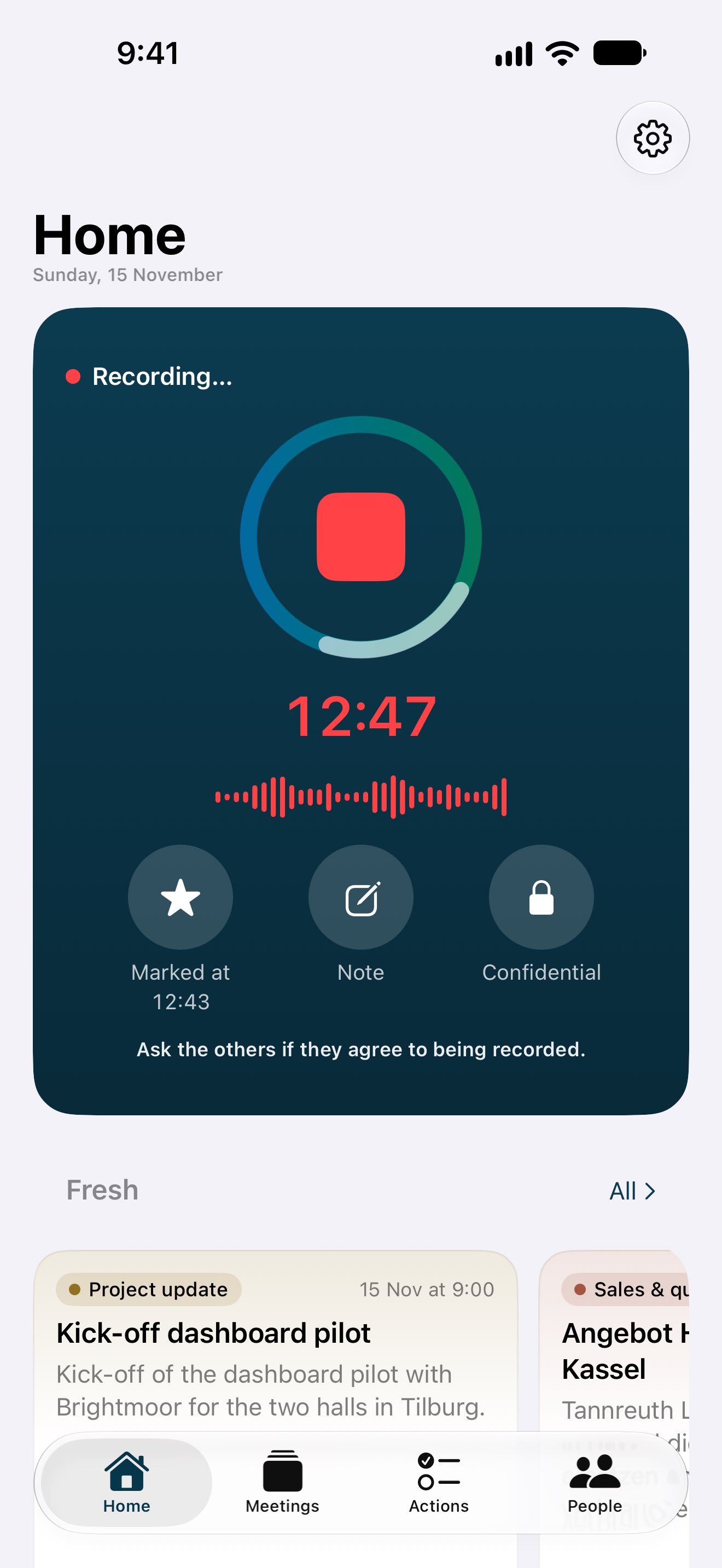
Record anywhere
- Your Mac does the rest
- The iPhone, iPad and Watch record and send the recording to your Mac, which transcribes it in 100+ languages, finds who said what and writes the summary.
- One press
- The Action button, Siri (“Record with Roundnote”), Shortcuts or a complication on your watch face, with a tap on your wrist when it starts and stops.
- Marks
- Mark a moment while you record. Marks made on the iPhone, iPad or Watch become your Mac's marks, and steer the summary.
- Notes while recording
- With iCloud sync on, type a note on the iPhone or iPad while it records; it goes to the meeting's My notes.
- Confidential
- One tap pauses the recording and turns the microphone off until you continue, and your Mac marks the part in the transcript.
- Nothing lost
- A recording survives a phone call, a crash or an empty battery, and is kept until it's on your Mac.
- Play and share
- Listen to a recording on the device, or share it yourself.
- One sound bar
- Above the tab bar, and a floating bar on the iPad: record from any screen, and play a meeting while you look at something else.
Your meetings with you
- Home
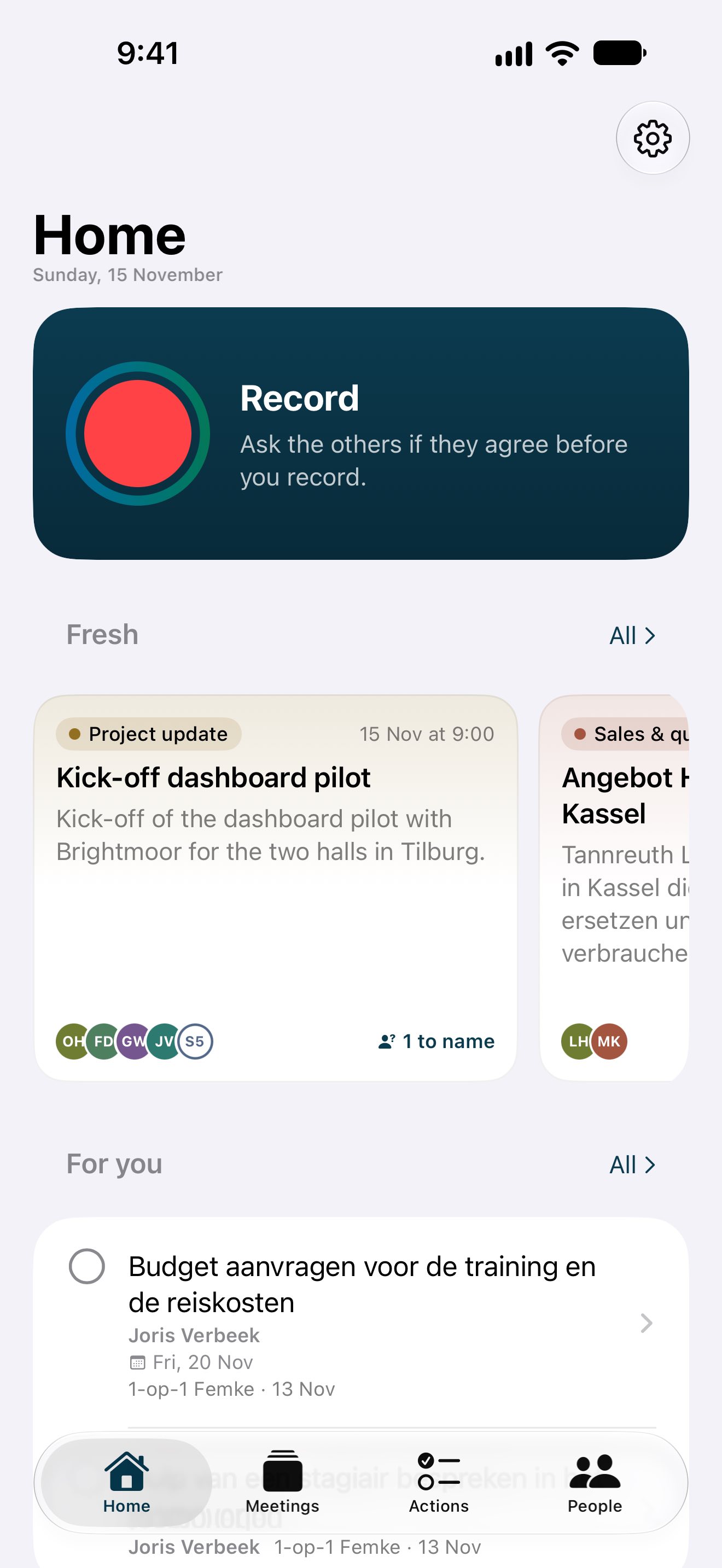
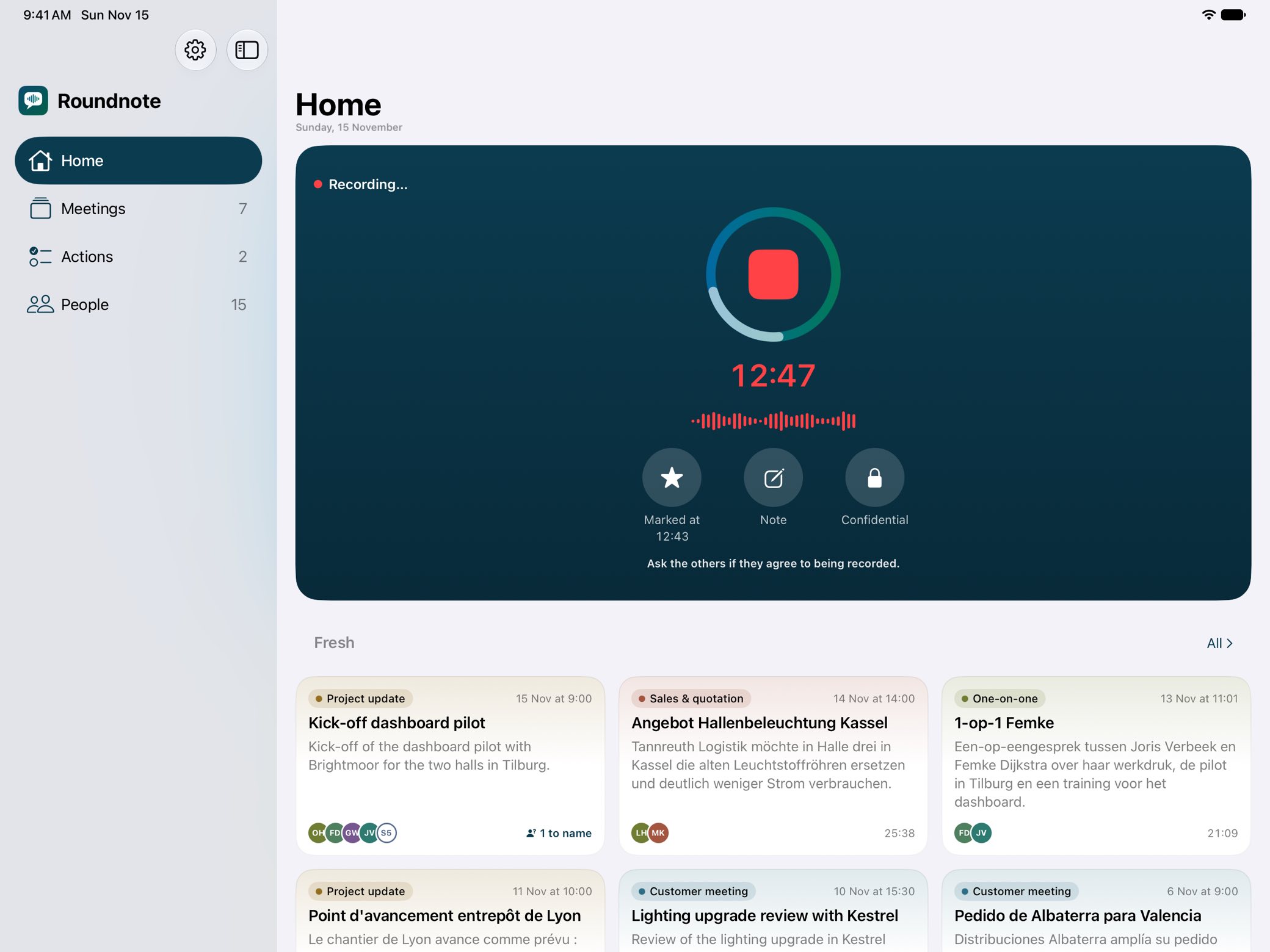
- The first tab: Record, your latest meetings as cards under Fresh, your open action items and the voices to name.
- Every meeting on one page
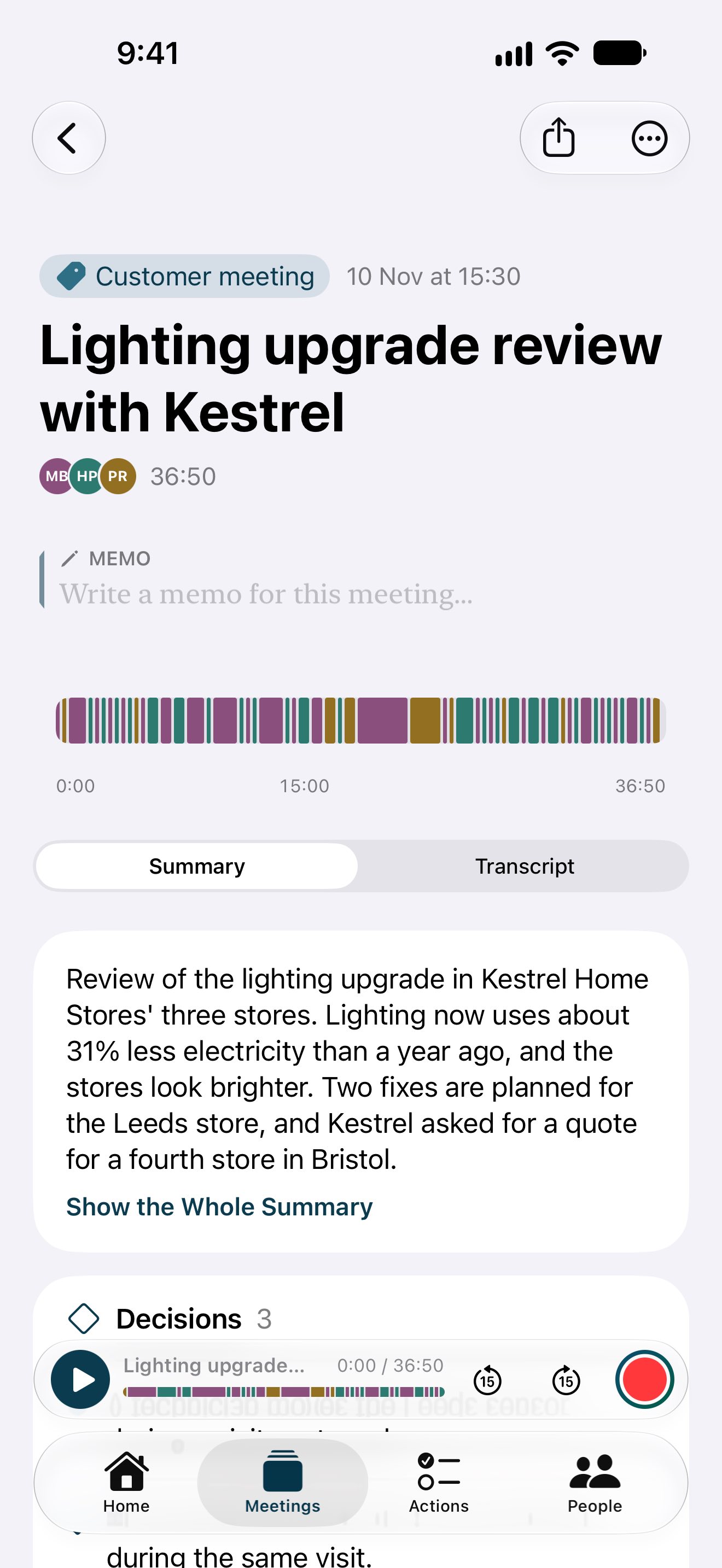
- With iCloud sync on, the iPhone and iPad show every meeting your Macs made as a page to read: your memo, the ribbon that shows who spoke when (tap it to play from there), and Summary and Transcript, with the decisions, the action items, who was there and your notes.
- Memo
- A text of your own for a meeting. It reaches your Mac and your other devices.
- Actions
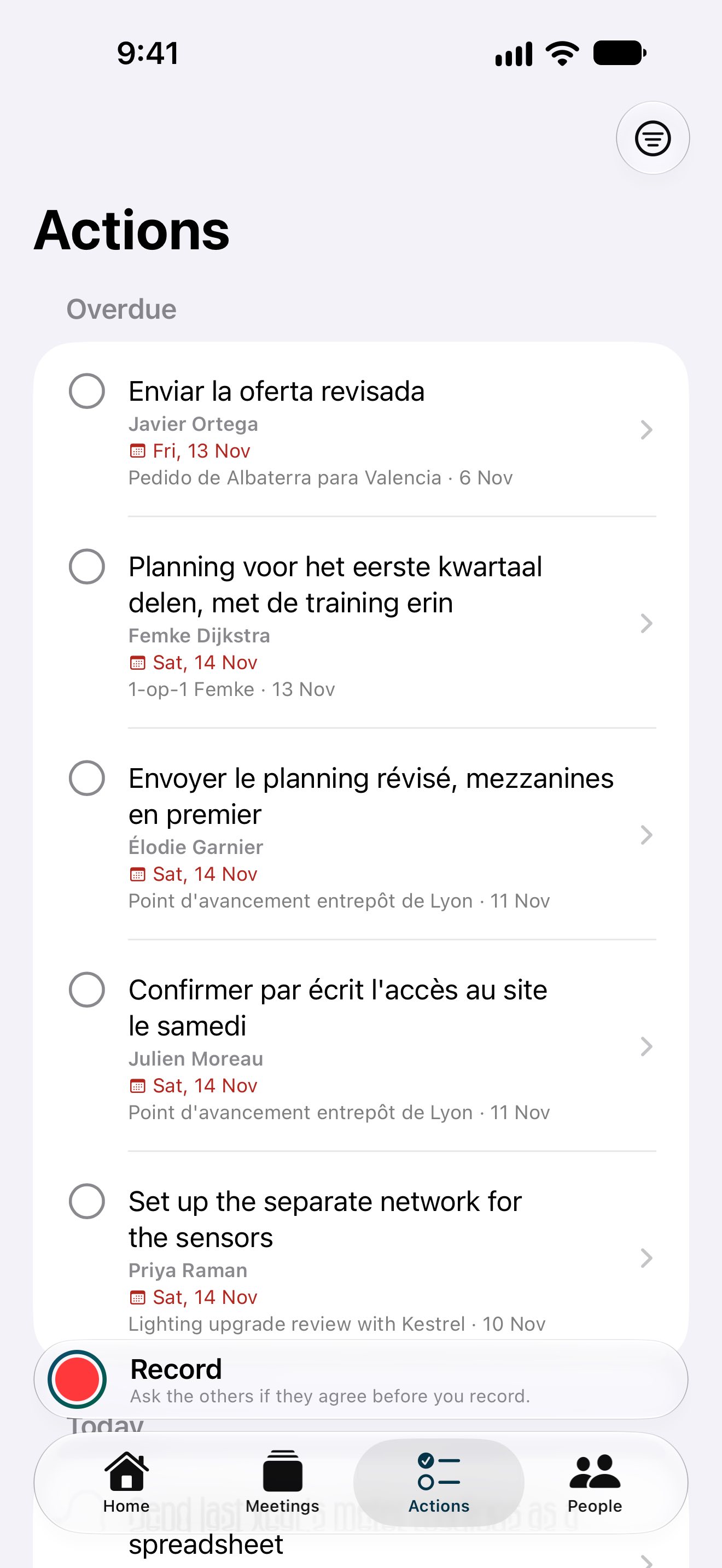
- Every action item in one list. Tick one off, and it's done on your Mac too.
- People and series
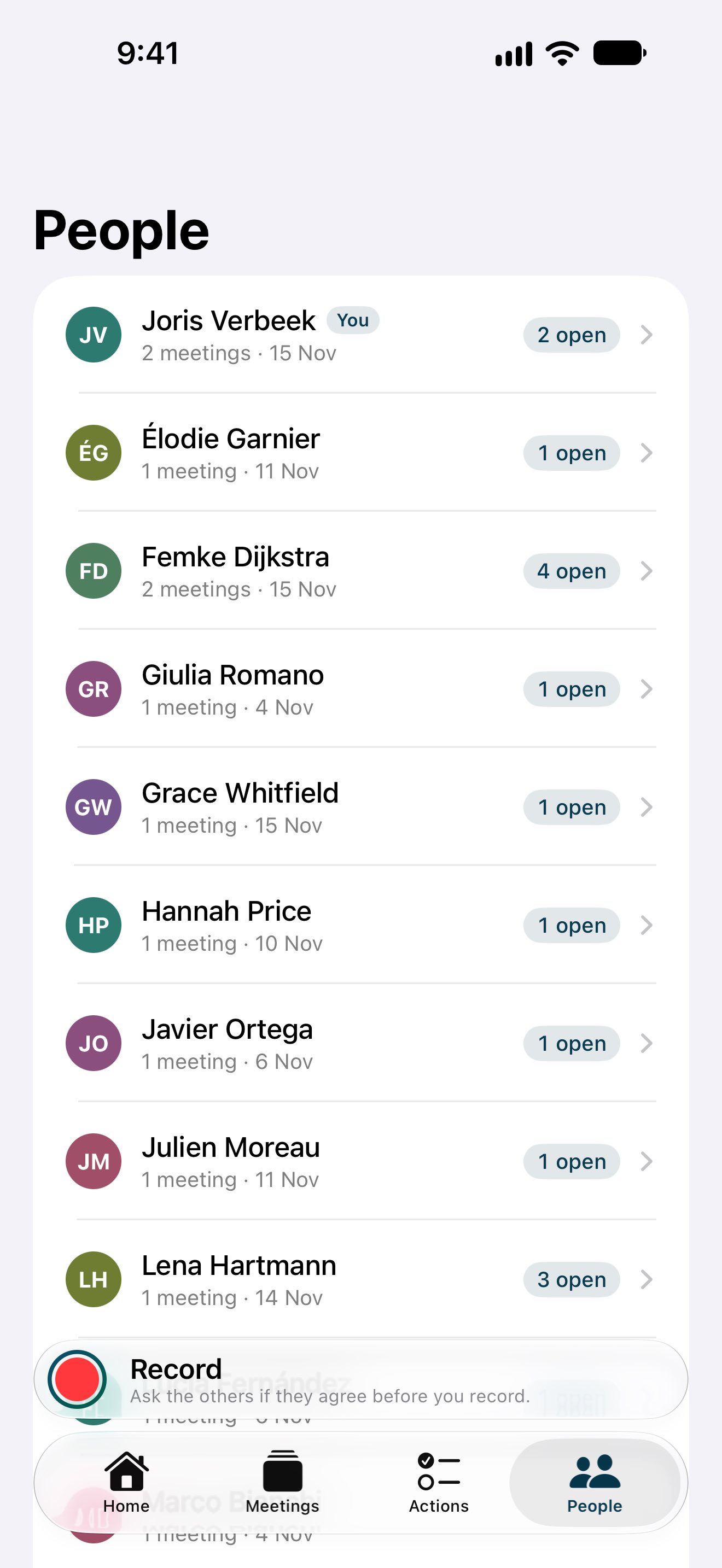
- Everyone you've named, as a list, each with the meetings they were in and their open action items, and each meeting series with what changed since last time.
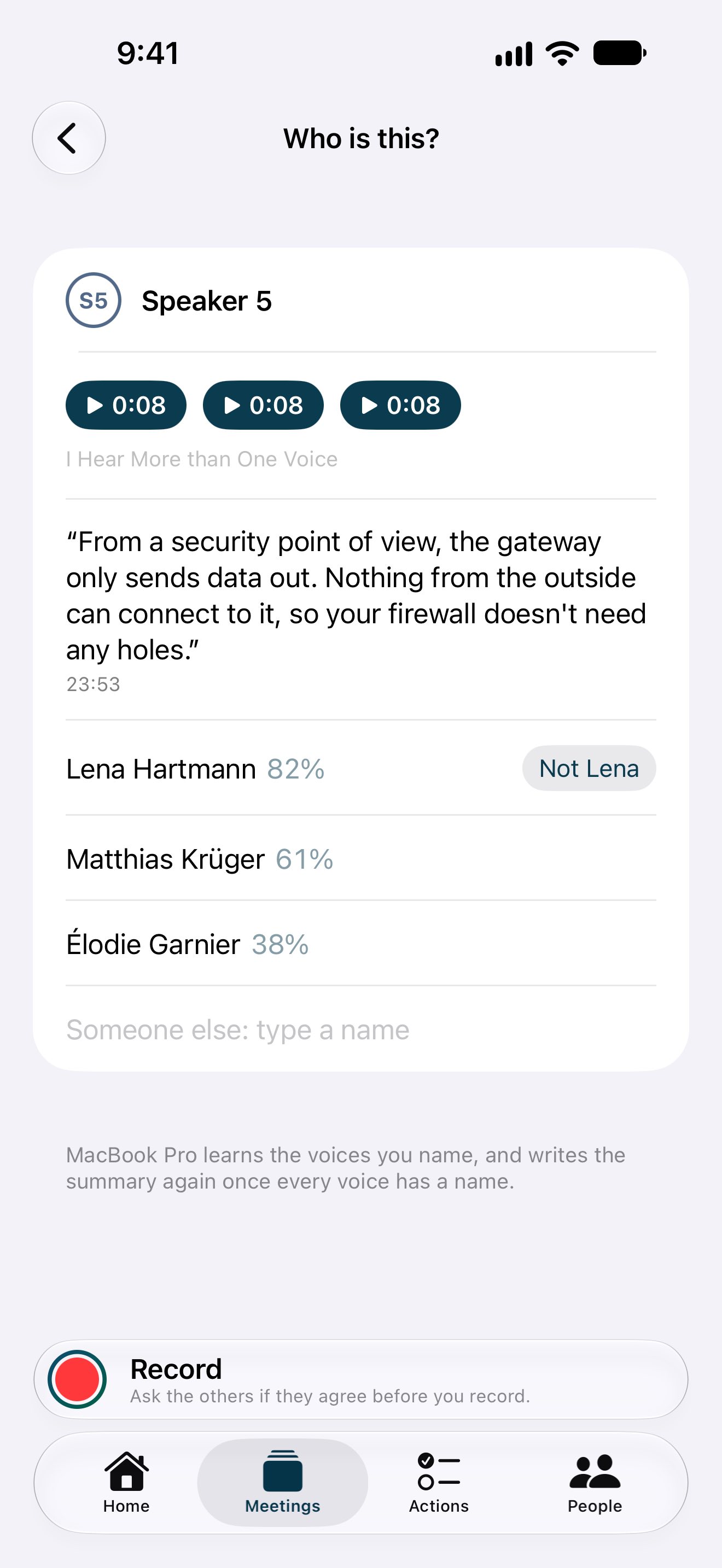
- Who is this?
- Name a new voice by listening to it. Your Mac then writes the summary again with the names.
- Ready, or a name needed
- A notification when a meeting is ready or a voice needs a name, on the devices you choose. With more than one Mac, choose which one transcribes.
On the iPad
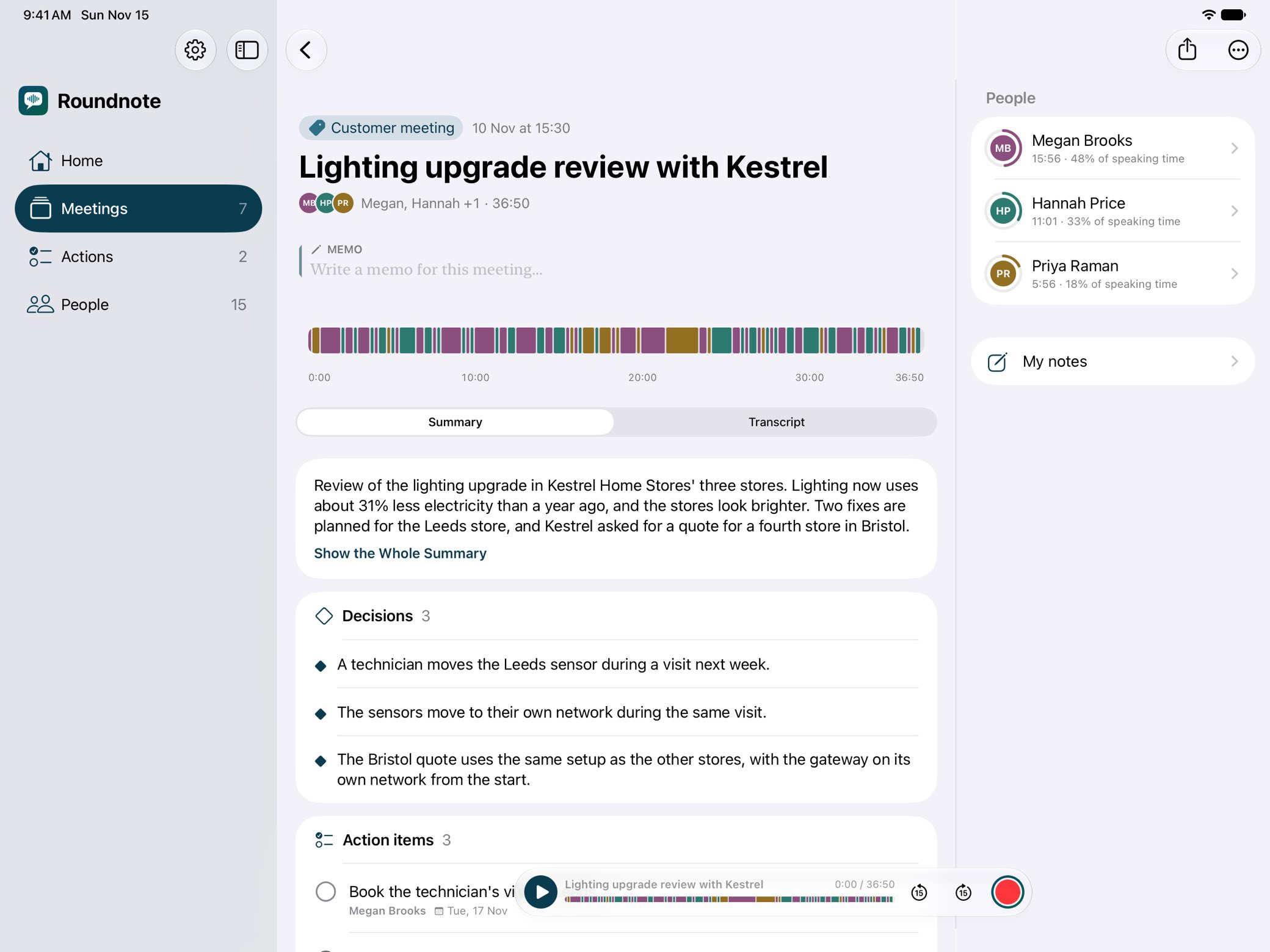
- The same app, more room
- Record on the iPad too. With iCloud sync on, your meetings, action items and people open beside a sidebar with Home, on the iPad's bigger screen, with the sound bar floating at the bottom.
On your wrist
- Record from the Watch
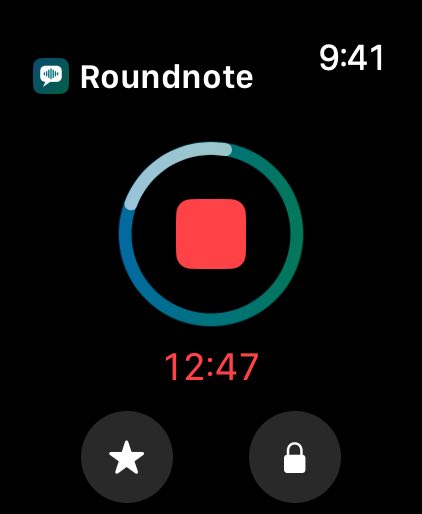
- From the app, a complication on your watch face, or the Action button on Apple Watch Ultra, with a tap when it starts and stops. The recording goes to your Mac by way of your iPhone, or through your own iCloud with iCloud sync on.
- Mark and Confidential
- Mark a moment, or pause for a confidential part, as on the iPhone.
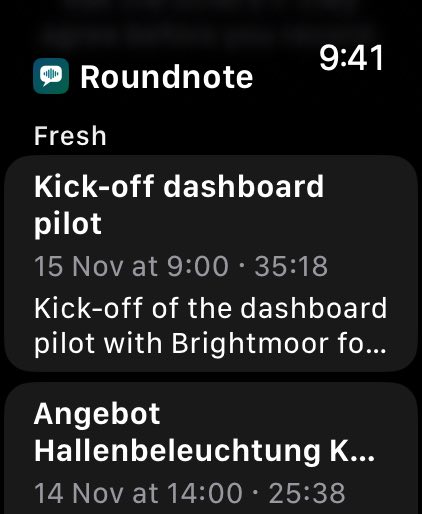
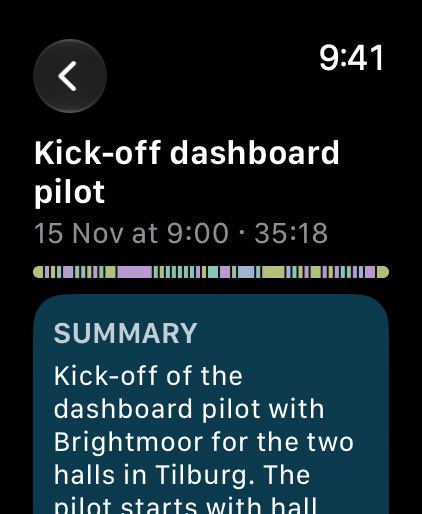
- Your latest meetings
- With iCloud sync on, your five latest meetings under Fresh, each with its ribbon and its summary.
Private by design
- iCloud sync
- Off until you switch it on, on the Mac and on the iPhone or iPad. Then your meetings, recordings, people and voice profiles go to your own iCloud, sealed so only your devices can read them, and to every Mac, iPhone and iPad with Roundnote on that account. Remove from iCloud… takes it all out again.
- Your own network
- Without iCloud sync, the iPhone and iPad send recordings over your own Wi-Fi to the Mac you paired, encrypted end to end, and the Watch sends them through your iPhone.
- Voices only with consent
- Naming a voice on the iPhone or iPad asks first, as on the Mac: a voice is remembered only after you confirm the person agreed.
- No account, no server
- No Roundnote account, no Roundnote server, no analytics, no ads.
Free, with your Mac
- Free apps
- Recording on the iPhone, iPad and Apple Watch is free. The transcribing is your Mac's: your first 5 meetings free, then Roundnote Pro, bought once, with no subscription.
- What you need
- Roundnote on a Mac with Apple silicon and macOS 26 or later, and iOS 18, iPadOS 18 or watchOS 11 or later.

Record anywhere. Remember everything.
The iPhone, iPad and Apple Watch apps are in the App Store now, with Roundnote for Mac, and they're free. Questions? Support or support@roundnote.eu.